Self-signing the NVIDIA driver
Prerequisites:
Enabling RPMFusion
This is required if you wish to use Secure Boot.
If you aren’t dual booting Windows, you may simply disable secure boot.
However, disabling Secure Boot has security implications. See here.
Your signing key is available in /etc/pki/akmods, and you should take measures to secure it. Full drive encryption is a simple solution, but you may also move it to a second drive or store it in an encrypted folder instead, like Plasma Vaults or VeraCrypt. You may also encrypt your drive and the folder.
- Install the needed tools:
sudo dnf install kmodtool akmods mokutil openssl - Generate your signing key:1
sudo kmodgenca -a - Enroll the key:
sudo mokutil --import /etc/pki/akmods/certs/public_key.der - Reboot your system.
- You should now see the MOK Management console, if not, revist the earlier steps. Select
Enroll MOK, clickContinuethenYes, then enter the password you set earlier.
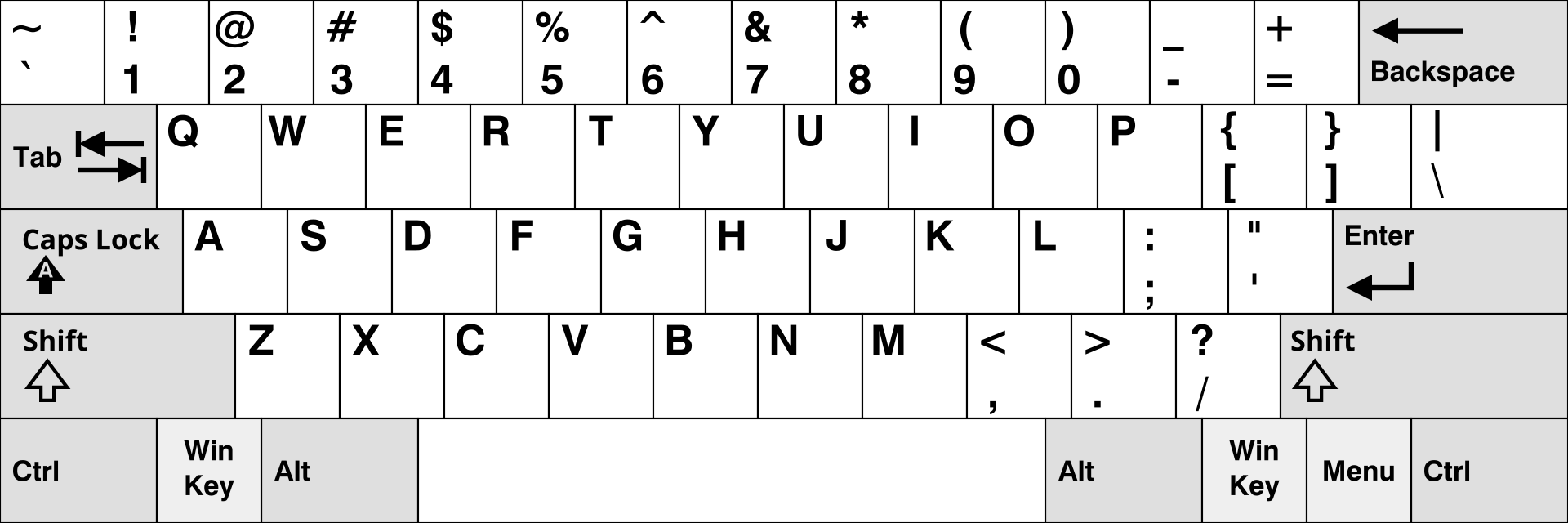
The keyboard is always QWERTY in this menu. If your keyboard is not QWERTY, you may refer to this image.
References:
RPMFusion - NVIDIA How-to
RPMFusion - Secure Boot How-to
-
I beleive this is a macro for openssl – advanced users looking to distribute drivers should read the full Fedora documentation about signing kmods. ↩